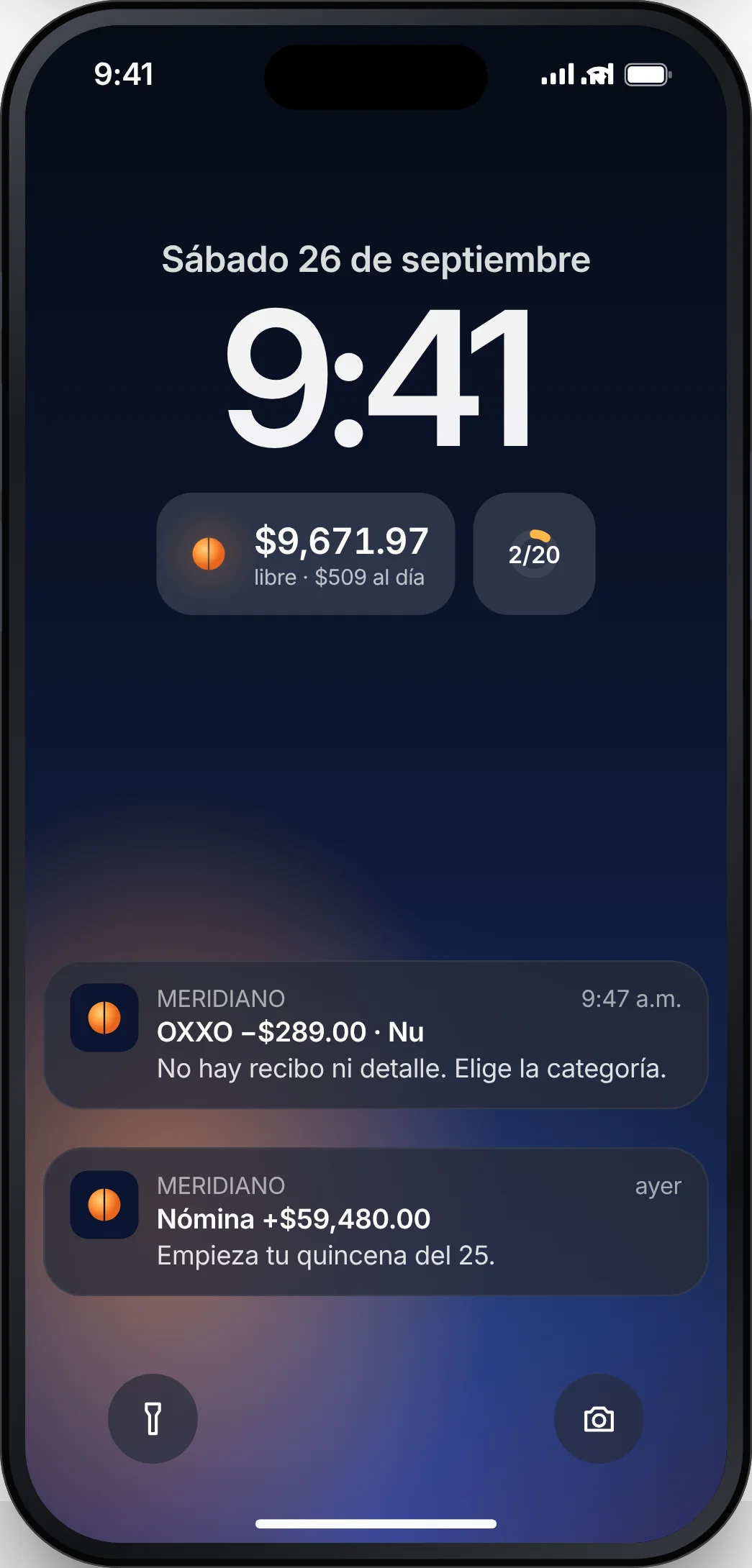
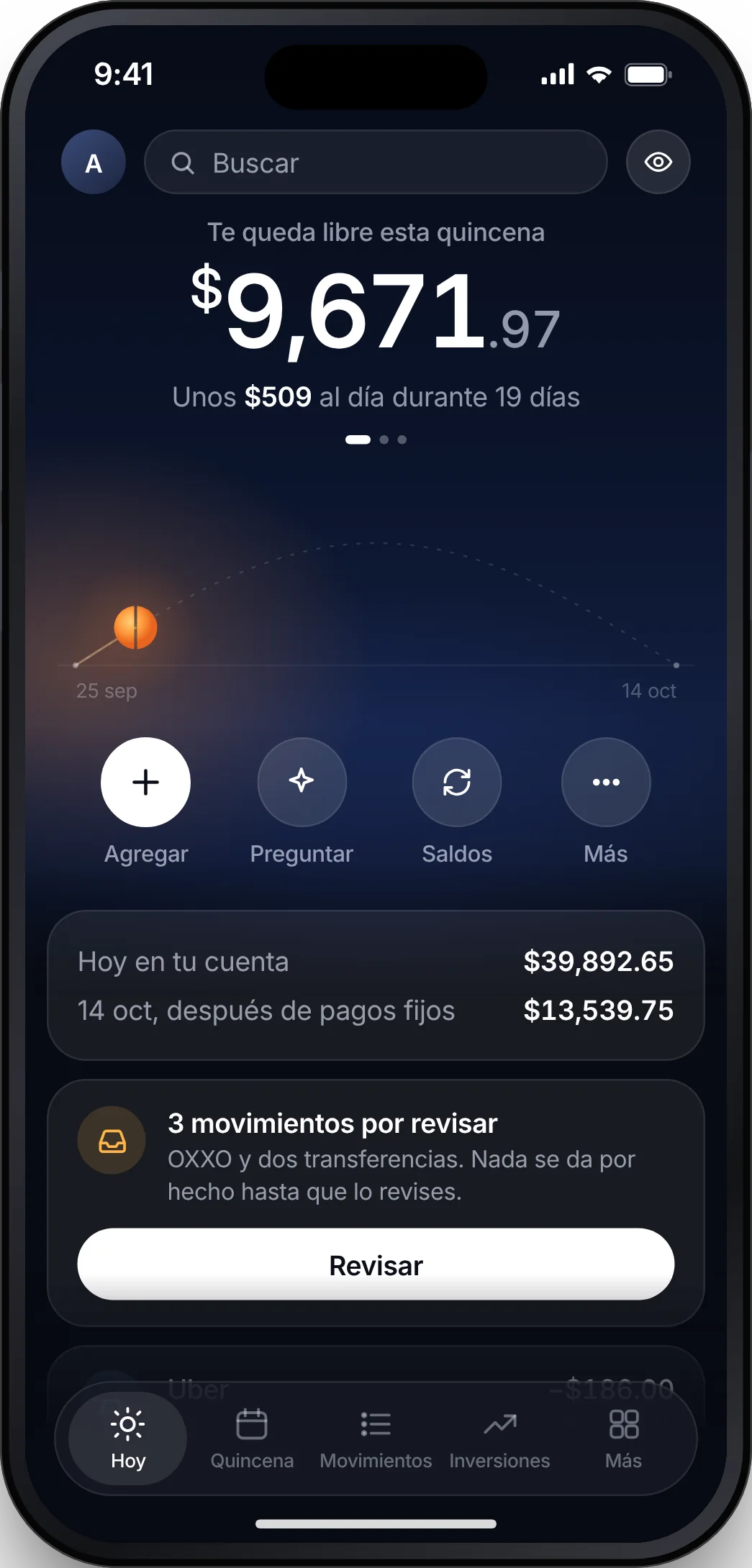
Every peso of the pay period, in its place
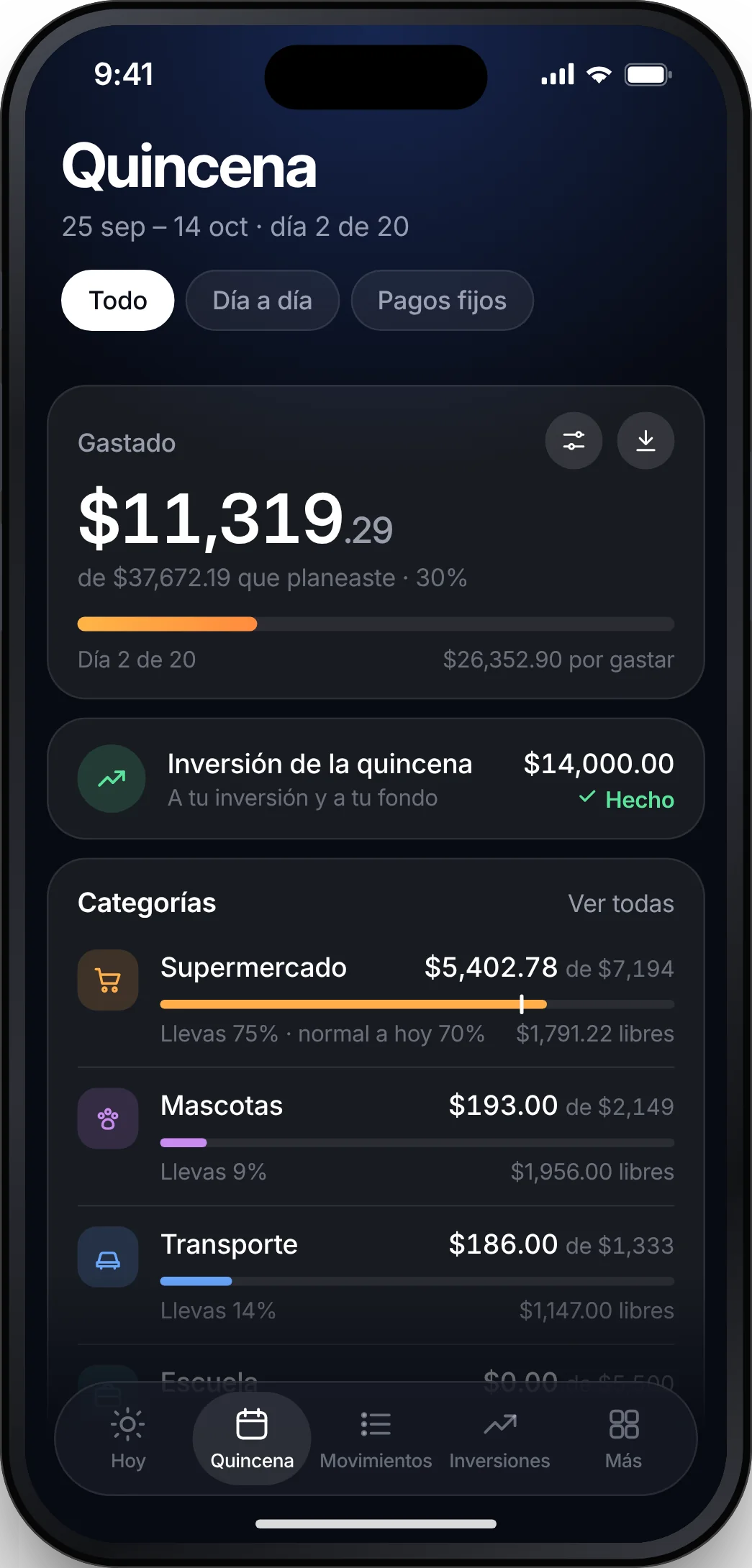
See how much you have spent on each thing against your plan, which fixed payments already went out and which are still due. Go over in something and Meridiano tells you and takes it out of what is free.
- Spent vs. planned, category by category
- Fixed payments checked off when the charge arrives
- A heads-up when you spend faster than the pay period
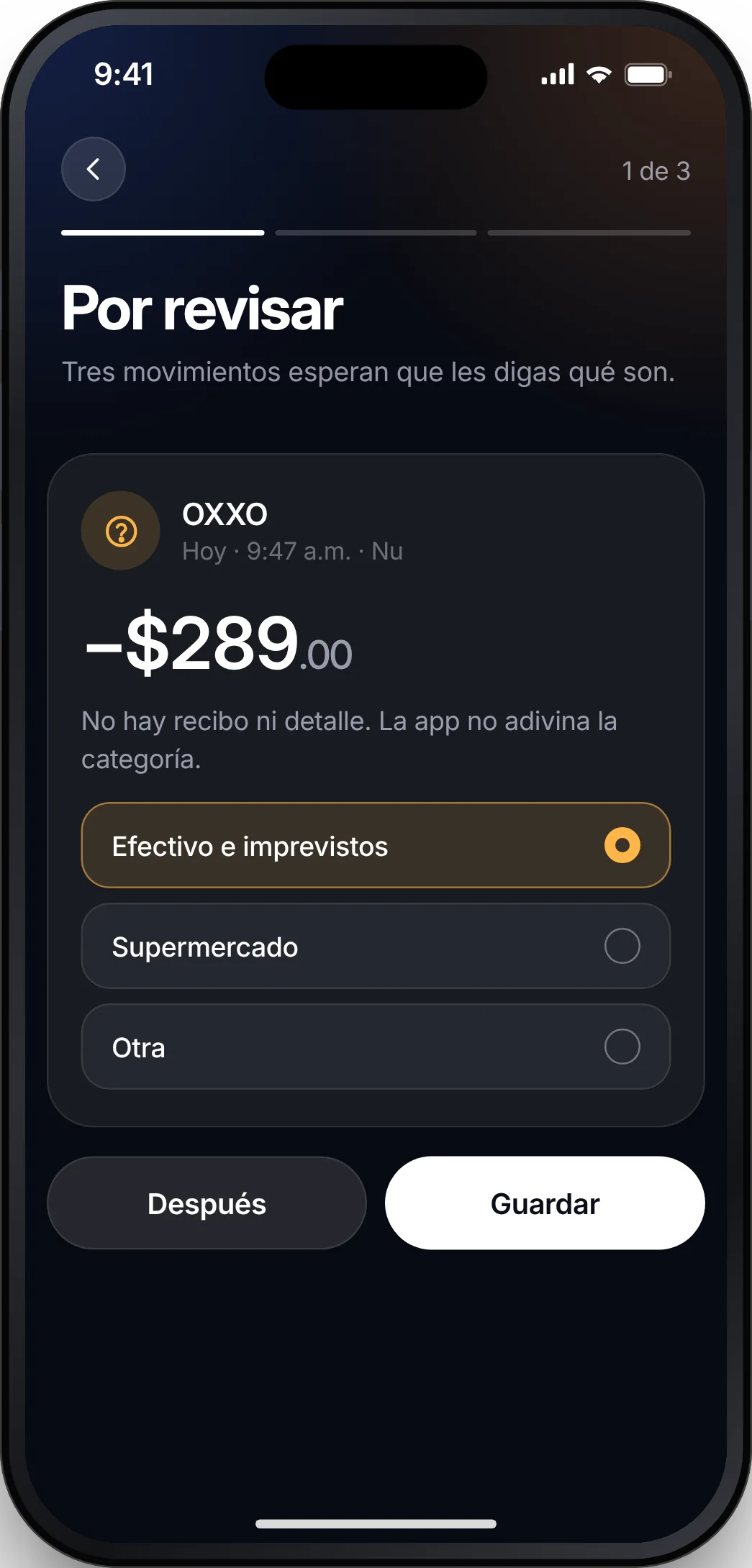
Purchases arrive on their own, already sorted
Meridiano reads the charge notifications your bank emails you. What it recognizes it sorts on its own; what it does not, it asks about one at a time, and nothing counts until you confirm it.
- Uber, Rappi, groceries, restaurants: each in its place
- Teach it once and it remembers the merchant
- Undo any change
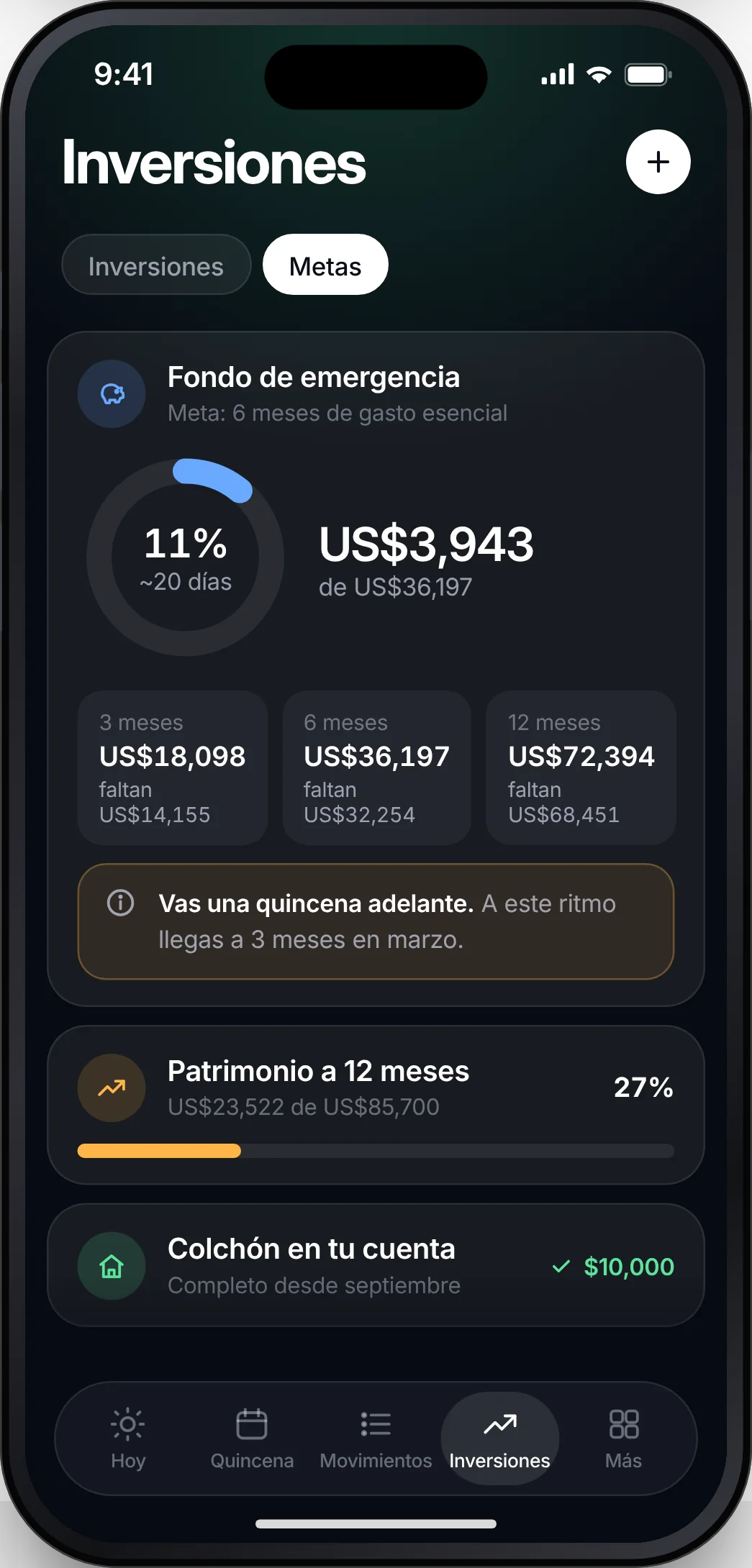
Your month, split across two paychecks
Enter your income, fixed payments and day-to-day spending. Meridiano splits each category between the paycheck on the 15th and the one on the 25th, and sets aside what is needed to keep both even.
- All in one, half and half, 20/80 or a third
- Amounts in pesos or dollars
- See the effect of a change before you save it
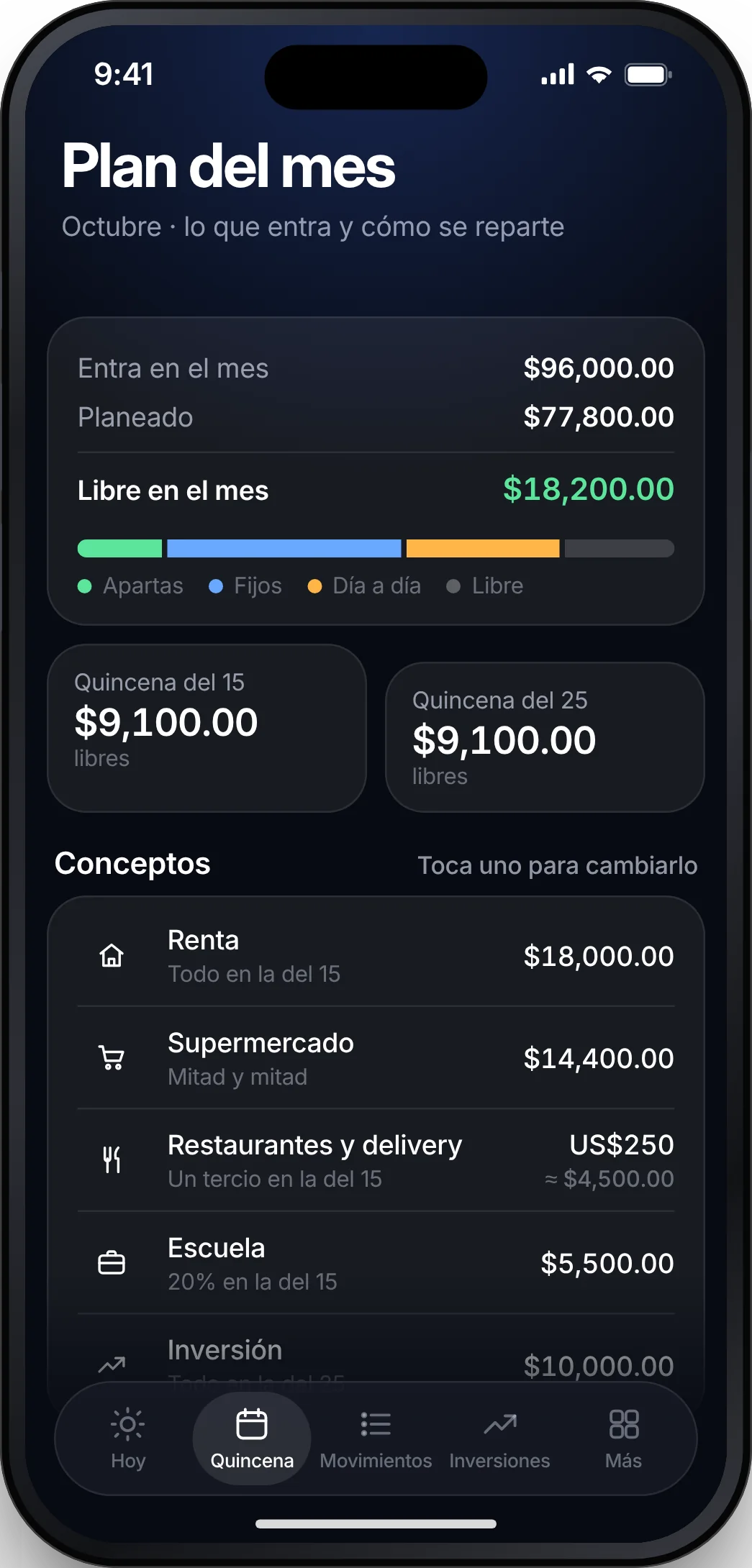
Everything you pay monthly, in one place
Netflix, Spotify, cloud storage, your AI tools. When each one charges, what they add up to, and which ones you no longer use.
- Next charge for each one
- Personal and work, separated
- In pesos and dollars
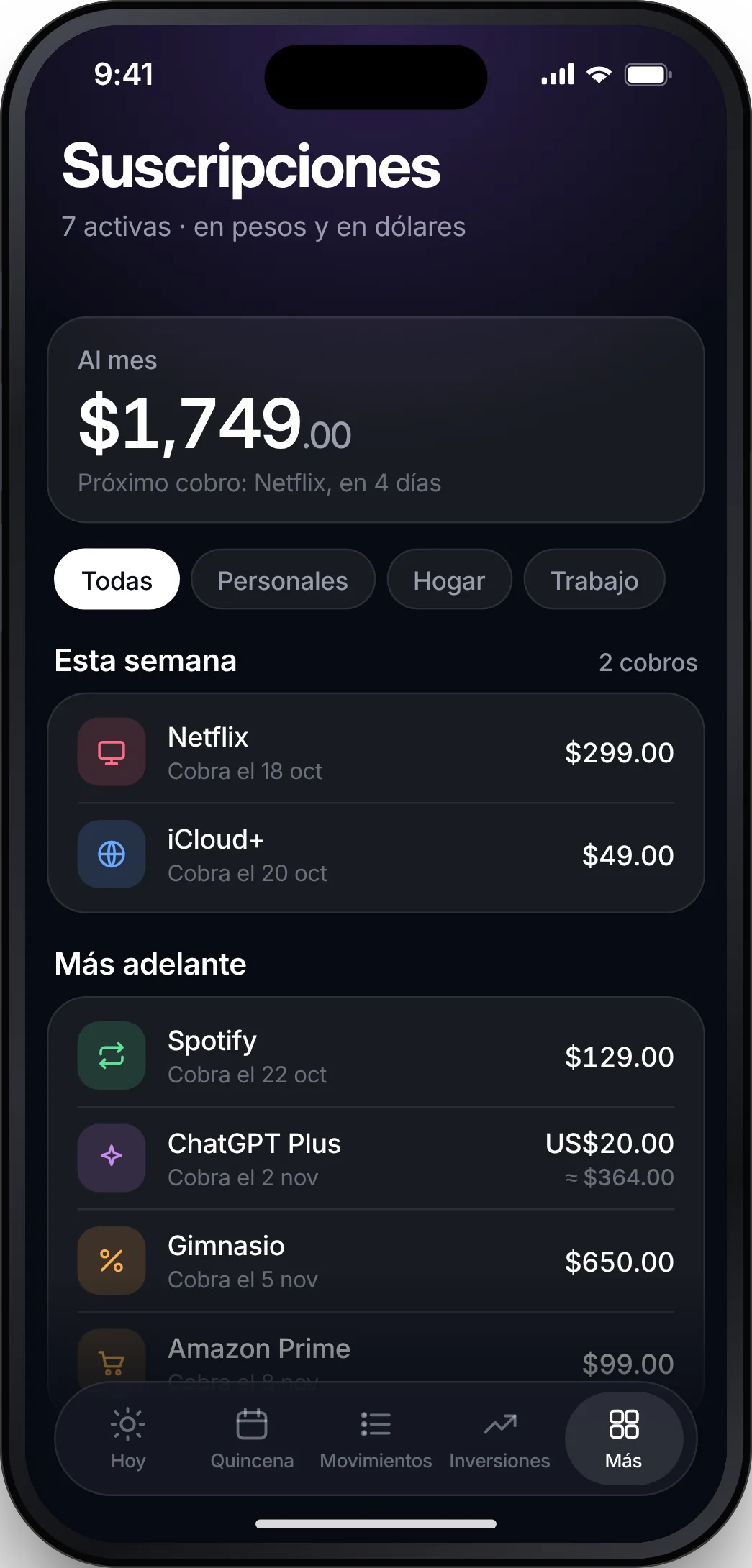
Ask anything about your money
How much can I spend today? What charges are coming this week? Meridiano answers with your own pay-period numbers: one sentence, with the detail underneath.
- Answers with your numbers, not averages
- Shows where every figure comes from
- It never moves money
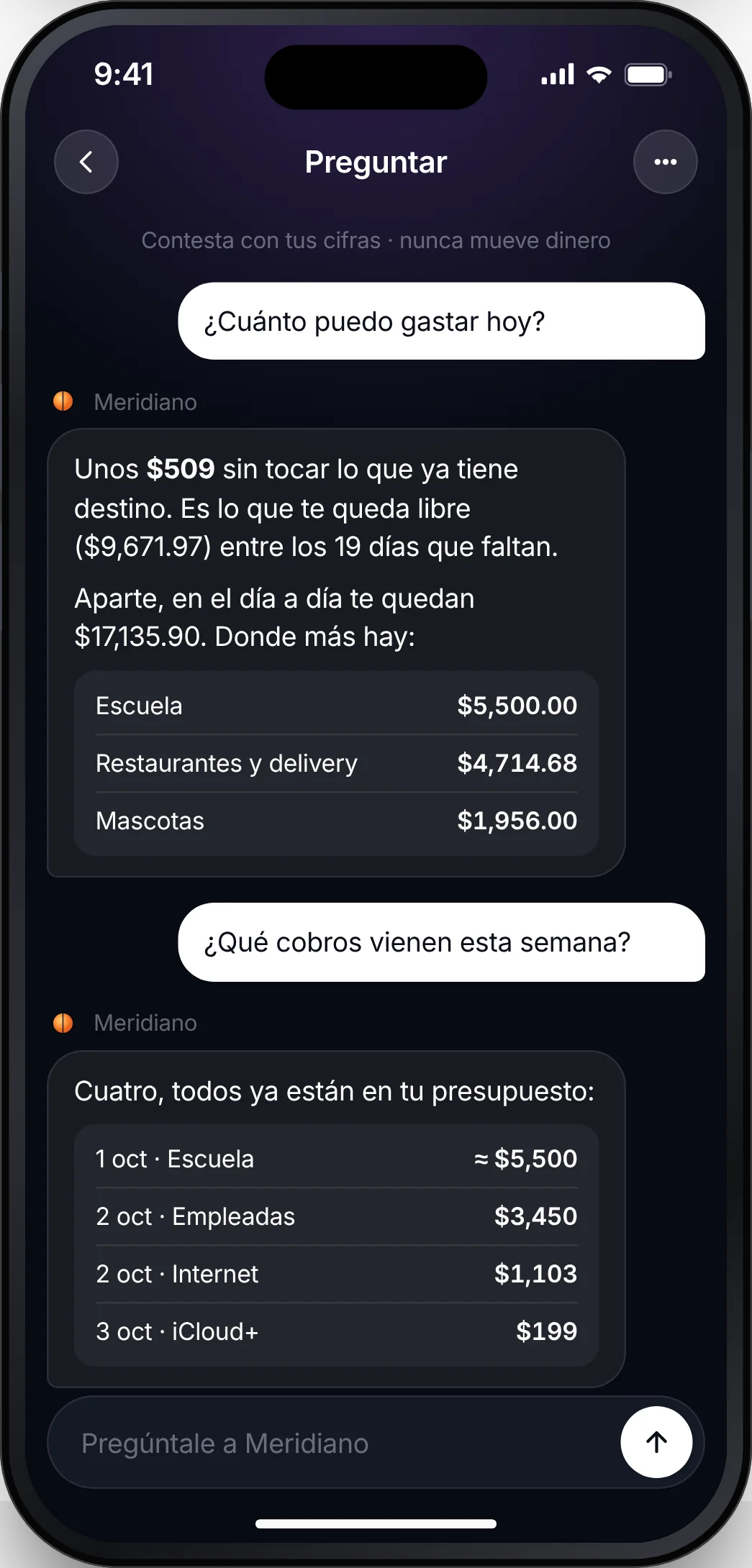
Your emergency fund, in plain sight
Watch your fund and your investments grow in the same place you decide how much to set aside each pay period.
- How many months of expenses you have covered
- Goals at 3, 6 and 12 months
- Where your net worth is heading
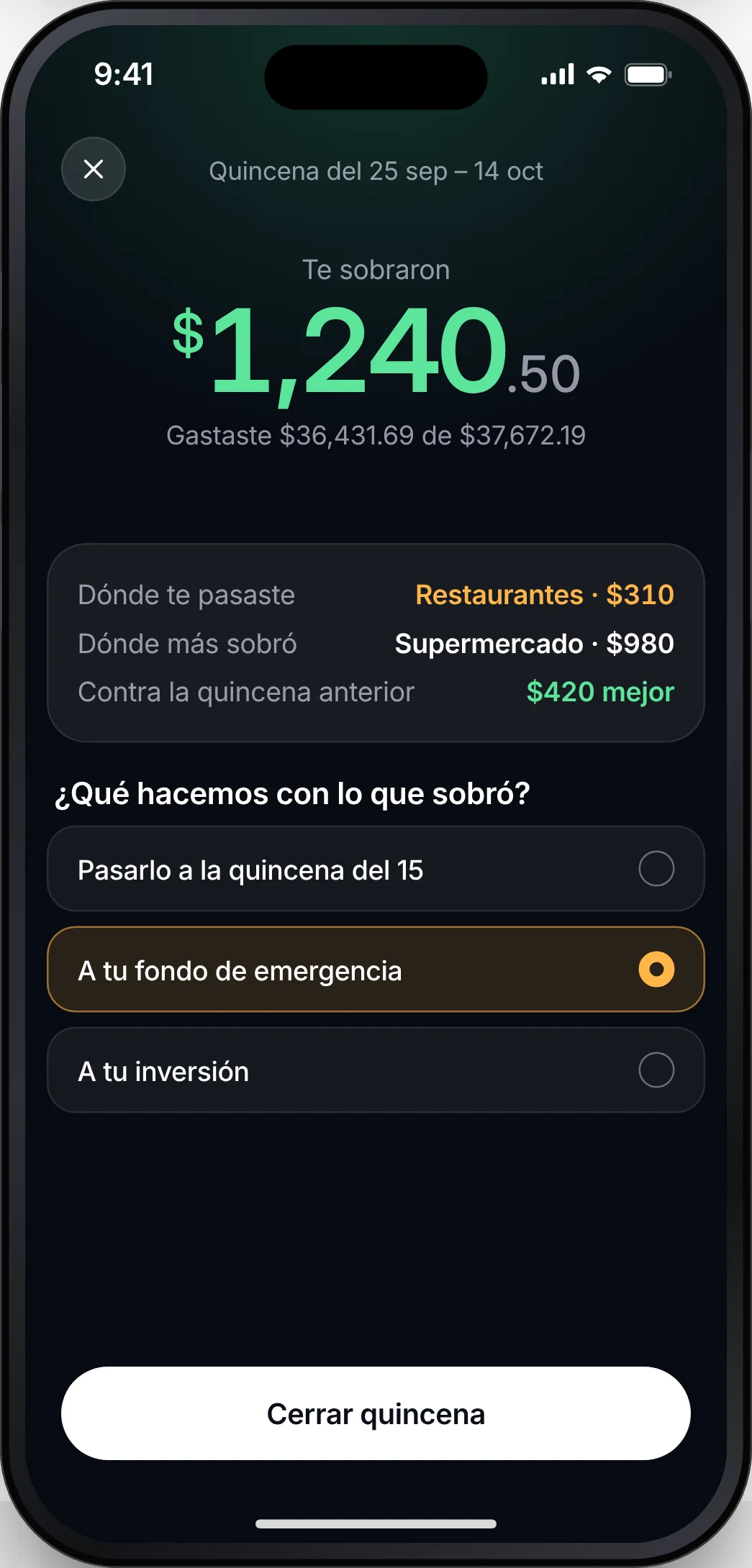
Every pay period closes with a plan
The day before payday, Meridiano shows how it went and asks what to do with what is left.
- Where you went over, and where you did not
- Carry it over or set it aside
- Compared with the previous pay period
Up and running in five minutes
Create your account
With Apple, Google or your email.
Build your plan
Answer seven questions or bring the spreadsheet you already use.
Connect your email
So purchases arrive on their own. You can also enter them yourself.
Your money stays in your bank
It never moves money
Meridiano organizes and reminds; it never makes payments or transfers.
Read-only
It reads the charge notifications in your email, and nothing else.
Your data is yours
No ads, no selling data. Delete it whenever you want.
FAQ
How much does it cost?
Nothing during the beta. Before there is a price we will tell you, and you decide whether to continue.
Which banks work?
Email notifications from the most common banks in Mexico and El Salvador, plus Uber, Rappi, Amazon and Apple receipts. If yours is missing, we add it.
Do I have to give up my spreadsheet?
Not all at once. Bring it into Meridiano and use both for a while until you trust the numbers.
What if I am paid differently?
The beta is built for people paid twice a month. Weekly and monthly pay are coming soon.
Stop guessing what you have left.
Join the Meridiano beta.
Request beta access